
Training Record Management System
Centralize All of Your Training Records
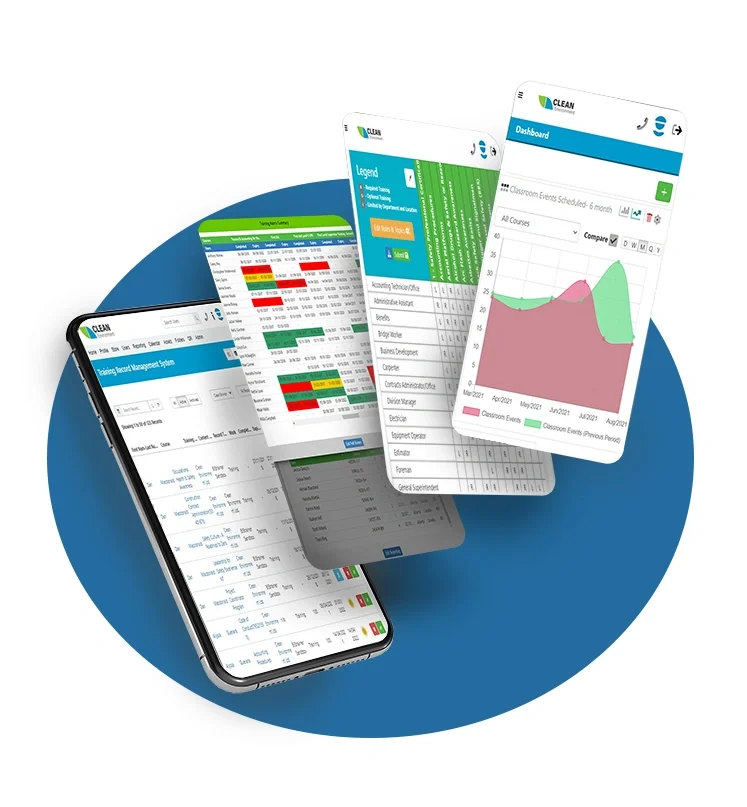
Record Management
Advance your Safety
Uploading and storing your employee’s records made simple! Reduce numerous spreadsheets and move your data into one location for employees and supervisors alike. With our robust Record Management, you can securely track and manage employee training records from:
Online Courses
Instructor-Led Courses
Historical Certificates
Once records are uploaded, automatic expiry alerts can be sent to employees, supervisors, and managers to help ensure your employees’ training is always up to date.
Automated Expiry Notifications
Stay ahead of expiring training with automated reminders from our system. Employees, supervisors, and administrators can receive email alerts 90, 60, and 30 days before any certification or training expires, helping to ensure that nothing falls through the cracks.
Expiring course notifications can also be viewed via:
- Excel Reporting
- User Profiles
- Dashboard Reporting
- Training record management database

On-Demand Reporting
A key element of an effective training program is having clear, real-time visibility into progress across your entire organization. With BIS Safety Software’s advanced reporting tools, you can instantly access detailed insights on training status, identify missing or expiring certifications, and address key gaps before they become a risk. Best of all, you can access it with a single, streamlined platform.
Comprehensive, on-demand reporting enables you to track compliance with precision, assign training efficiently, and demonstrate due diligence. By turning complex data into actionable insights, you ensure your workforce stays prepared, compliant, and safe, without the need for disconnected spreadsheets or manual tracking.
Reporting Helps Close the Training Gap
Ensuring your workers are properly trained can have tremendous benefits:

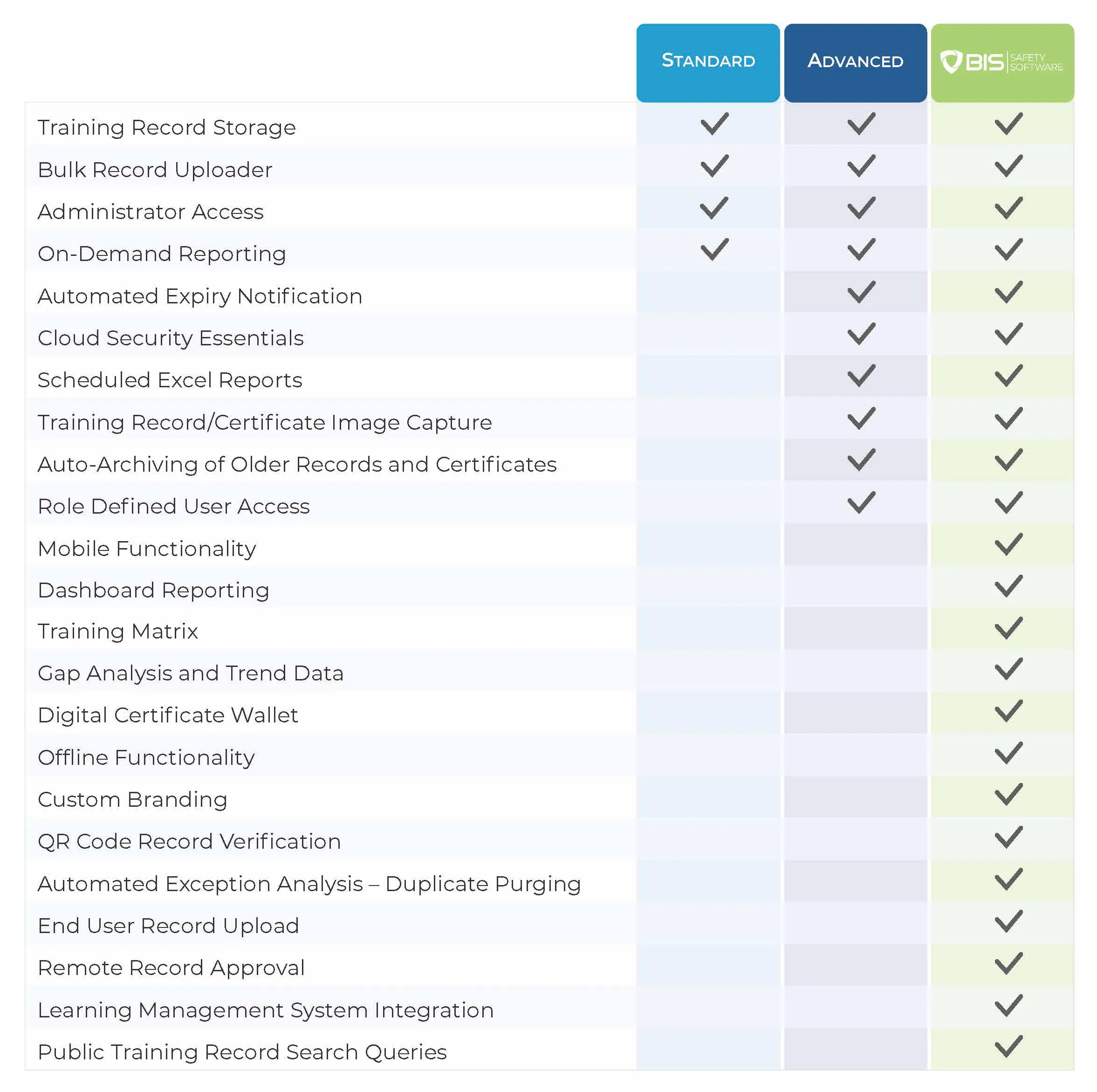
Managing Training Records in High-Compliance Environments
What is the best way to keep training records?
The “best” method depends on the scale of your operation, but for high-compliance industries, the standard is a Centralized Digital Training Matrix.
- Static Storage: Storing certificates in individual personnel folders or static spreadsheets. This fails because it cannot automatically alert you when a certification expires.
- Active Compliance: Using dynamic software that links a worker’s profile to their specific role requirements (e.g., “Forklift Operator” requires “Forklift Cert” + “Safety Induction”). This ensures that if a record is missing or expired, the worker is automatically flagged as non-compliant.
How to build a training tracker?
Many organizations start building a training tracker using a spreadsheet “Matrix” (listing Employee Names on the Y-axis and Certifications on the X-axis).
While effective for small teams, manual trackers pose significant compliance risks for larger workforces:
- No Auto-Alerts: Excel cannot email you 30 days before a license expires.
- Version Control: It is difficult to know if you are looking at the most current training data.
- Evidence Gap: A spreadsheet cell might say “Trained,” but it doesn’t instantly pull up the signed attendance sheet or digital certificate required during an OSHA audit.
How many years must training records be kept?
Retention periods vary by regulation and jurisdiction, but the golden rule in safety management is “Duration of Employment + Retention Period.”
- OSHA Requirements: Specific standards (like OSHA 1910.1020) often require records to be kept for the duration of employment plus 30 years if they relate to medical surveillance or exposure.
- Best Practice: Modern safety software solves this by archiving “inactive” user data indefinitely in the cloud, ensuring you can always produce a training history for a former employee if a liability claim arises years later.
What are the 5 stages of record management?
Records management is the structured process of managing documents throughout their lifecycle to ensure accuracy, accessibility, compliance, and legal protection. The lifecycle consists of five stages: Creation or Receipt, Classification and Indexing, Active Use and Maintenance, Storage and Protection, and Disposition or Archiving.
In high-risk safety environments, each stage carries elevated responsibility:
- Creation or Receipt ensures training records, inspections, and incident reports are properly captured from the start.
- Classification and Indexing ties records to specific roles, assets, or regulatory requirements.
- Active Use and Maintenance supports real-time monitoring of expirations, certifications, and corrective actions.
- Storage and Protection safeguards sensitive exposure or medical records that may require long retention periods.
- Disposition or Archiving follows strict retention schedules to defend against future audits or legal claims.
Mobile Compatibility
BIS Safety App
Support your health & safety management system with one convenient safety app.
With BIS Safety App you can access:
- Mobile Compatible Online Courses
- Employee Training Records
- Digital Safety Forms
- Digital Folders
- Equipment & Asset Manager
- ID Badges
- and more
Download and store your training certificates on any smart phone or tablet.


Download the Training Record Management Buyer's Guide

Training Record Management Buyer’s Guide
Contains over 20 pages of insights, including:
- Pricing expectations
- Features to shop for
- A comparison chart
Some of the Great Companies who use BIS Safety Software




Feature Overview
Auto-Assign Training
Use the Training Matrix to configure the automatic assignment of online courses when training records expire.
Scheduled Excel Reports
Schedule automated emails containing reports on upcoming training expirations for users and topics.
Training Matrix Integration
Instantly update training gap reporting by allowing uploaded training records to satisfy training requirements.
Mobile Friendly
Access employee training record details from any smartphone, iPad, or Internet-ready mobile device.
Quick Upload
Make the setup process easy by instantly upload thousands of training records directly into the system using Excel.
Interactive Instructor Dashboard
Reduce admin costs by allowing employees to upload records directly to their account for review/approval.
Training Matrix
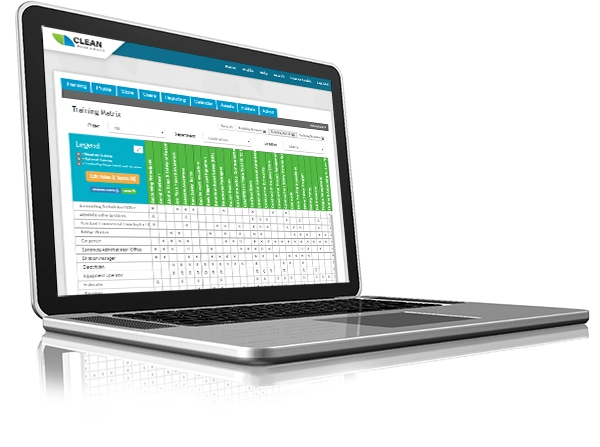
Training Matrix
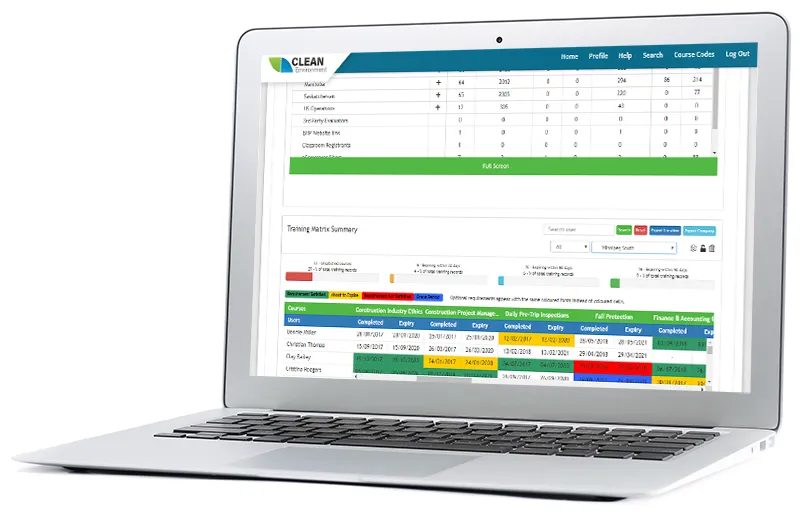
Our advanced Training Matrix feature allows you to quickly and easily customize training for each role and location in your company. All you have to do is enter a list of unique company roles (e.g. Driver) and a list of required training topics (e.g. WHMIS and TDG). Our Training Management Software uses this information to automatically generate a training matrix for your company. To assign training to roles, simply click on the boxes where the role and required training intersect. It’s that easy!
Want to set training requirements not only by role but by location as well? No problem. Our Training Management Software allows you to drill down into your company to customize training requirements by location in addition to role. So even if, for instance, drivers in one location need long haul training but drivers in other locations don’t, our system can handle it.
Want to stipulate which courses you will accept for each training topic? We have you covered! Enter the training topic (e.g. First Aid), then choose which training provider (e.g. ABC Inc.) and format (e.g. classroom) you will accept. Only training that meets these requirements will be accepted.
Our cloud-based employee tracking management software will also automate notifications for expiring courses to workers, managers, and system administrators. This way, everyone knows where each department, region, or location stands in terms of compliance for their training requirements.
Record Database
Record Database
Tired of trying to track down training records? Frustrated by having records and certificates stored in multiple places? We can help.
Our online training management software not only tracks and manages training records and certificates for courses completed through our LMS, but it also stores, tracks, and reports on training completed in the classroom, in the field, or on another system!
Using a convenient Excel upload feature, within minutes you can create hundreds of user accounts and upload thousands of training records. Once uploaded, you can sort the records by first name, last name, course title, training provider, completion date, or expiry date. You can even upload copies of training certificates for each training record.
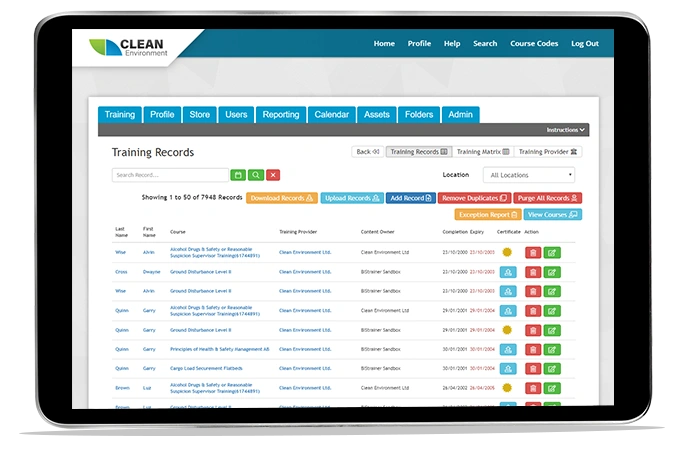
Gap Analysis Reporting
Gap Analysis Reporting
Once you have assigned required training to all employees, it’s important to follow up to ensure that training is completed. With just one click of a button, you can run a training gap analysis report to determine which individuals are behind in their training. This Microsoft Excel formatted report provides details of the individuals’ first and last name, their company location, and the training topic(s) that needs to be completed.
Action Plan!
Training Record Management System Buyer’s Guide
Reduce Admin Burden Without Losing Control
This guide outlines:
- Automation opportunities across training workflows
- Training matrix and assignment logic
- Data migration and onboarding considerations
- Reporting and visibility improvements
- Cost factors beyond base pricing

Excel Compatibility and Data Management
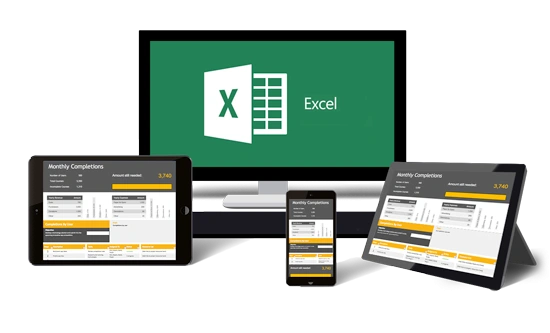
File compatibility can sometimes hold back organizations. To keep you moving forward, BIStrainer uses an Excel-compatible data management system, making it one of the fastest ways for your company to go paperless. Simply upload your company’s spreadsheet information, and our system will centrally manage important data for you and output XSL or CSV files upon request.
Excel spreadsheets allow you to:
- Create user accounts
- Update user profiles
- Store training information, including copies of certificates
- Download training reports to your desktop
- Verify employees with payroll comparison
- Convert data storage files for external and internal use
Excel-compatible data management and reporting creates seamless communication between our training management software and the spreadsheet files currently used by your various departments.