
Get Your Certificate of Recognition (COR™) with Ease
BIS Helps Companies Achieve and Maintain COR™
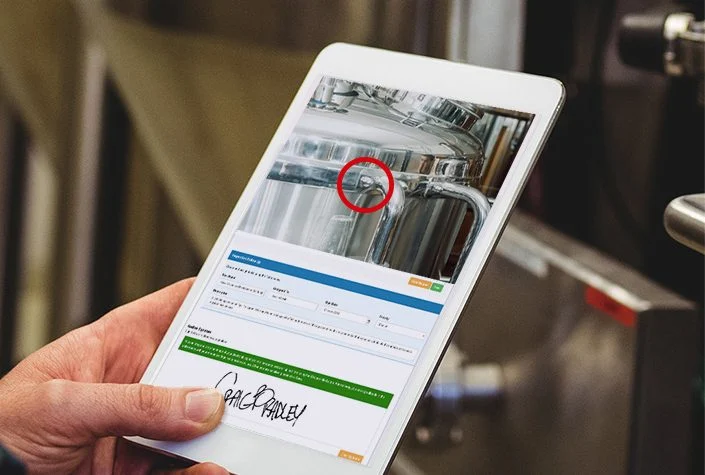
BIS Safety Software’s EHS software helps companies track training and verify required competencies, providing confirmation that all required training topics are covered. It also provides the functionality to create digital forms and track form completions for things like hazard assessments.
The BIS EHS Software includes the functionality that lets you easily meet the COR requirements. Managers can pull and analyze information and reporting as needed or for scheduled audits. Your team can also give external auditors access to the system so they can verify you have your safety procedures, hazard assessments, competency testing, and everything else you need to obtain COR.
Learn how the BIS software can help simplify your COR management
Streamline COR™ audits
Learn how our EHS software can help address each item in an audit
Internal and external audits include documentation review, observations, and interviews. Specific criteria for audits are found with each certifying association, but generally, the audit looks at the items below:
Health & Safety Policy
A company’s policy statement is a set of principles and general rules that serves as a guide for company actions related to health and safety.
How BIS can help
Digital Policy Statements and Quick Distribution
Within the BIS software, you can use digital form templates or create custom forms for you health and safety policy statements and distribute them to all new and current employees or contractors with the automated Training MatrixHazard Analysis
The identification of health and safety hazards that could be the source of damage, harm, or adverse effects on something or someone in the workplace.
How BIS can help
Create Custom Digital Hazard Analysis Forms
Within the BIS software, you can use digital form templates to perform hazard analysis or create your own form from scratch with the easy to use drag-and-drop tools.Safe Work Practices
Written methods that outline how to perform key job tasks with minimum risks to people, equipment, processes, and the work environment.
How BIS can help
Assign Safe Work Practices by Role
With the Training Matrix and Digital Folders modules, you can auto-assign the right Safe Work Practices to the right employees and contractors based on the role they have in their user profile.Training and Communication
A solid health and safety management system can only be effective with consistent communication about it and training employees on the components of it.
How BIS can help
Assign Training and Track Completions
The BIS system has a secure eCommerce store with a library of over 1,800 courses. You can purchase and assign courses individually, or sign on to one of the subscription packages and utilize the courses within the package as many times as you need. All training certificates are stored in the system and can be viewed at any time. Plus, you receive notifications when training is set to expire.Workplace Inspections
Inspections are critical examinations that help identify and record potential workplace hazards that require corrective action, usually conducted with and recorded in reports.
How BIS can help
Complete Digital Inspections and View Reporting
You can set up digital inspections and create schedules and assignments within the system to ensure they happen when and where they are required. You can follow-up by checking the reporting dashboards to see data from any field on your inspection forms.Investigations and Reporting
This is a reporting process for workplace incidents, accidents, injuries, and emergencies and is found in the company’s Policy Statement or in a stand-alone policy.
How BIS can help
Utilize the Incident Management Features
The BIS software has many features designed specifically to help your employees and contractors complete incident reports. Once the form is finished by the initial user or witnesses, it can automatically move on using custom workflows to the supervisors or managers for review and corrective action plans.Contact us today to get started!
Additional COR Audit Items Simplified with BIS Software
Safe Job Procedures
Procedures go more in-depth than Practices in that they give specific steps to workers in chronological order, much like Standard Operating Procedures.
Learn More →
Company Rules
Company rules govern the actions and behaviours of all employees, making it clear on what is an is not acceptable in the workplace.
Learn More →
Personal Protective Equipment
Also called PPE, these items are designed to protect each employee from hazards, and they include safety glasses, hats, boots, breathing apparatuses, and uniforms.
Learn More →
Preventative Maintenance
As the name suggests, preventative maintenance is the routine servicing of work vehicles, equipment, and tools to prevent larger problems and maximize efficiency.
Learn More →
Emergency Preparedness
This includes plans for dealing with any emergencies such as fires, explosions, natural disasters, and violent outbreaks, reinforced with communication, training, and periodic drills.
Learn More →
First Aid Readiness
Proper readiness includes providing adequate supplies in key locations, the identification and training of designated first aid attendants, and consistent training of all staff.
Learn More →
Statistics and Records
Companies should maintain health and safety statistics and records in a centralized location that is easy to search and review.
Learn More →
Violence and Harassment Policies
These policies must demonstrate the commitment to a workplace free of violence and harassment while outlining the roles and responsibilities of reporting in the organization.
Learn More →
Essential!
Learning Management System (LMS) Privacy Guide
Understand Where LMS Privacy Risk Actually Comes From
Inside this guide, you will find:
- Where LMS data expands beyond intended use
- Decisions that directly shape privacy outcomes
- How learning data influences real-world decisions
- Hidden risks in analytics, notes, and exports
- Why privacy failures happen after setup
Ready to get your COR with less work?
With the BIS EHS software including the Digital Forms, Learning & Training Management System, and the Digital Folders feature, BIS Safety software can help you and your organization get COR to gain a competitive edge.
Get started with these three easy steps.
Step 1 – Contact Our Team
Getting in touch with our team can help to teach your business about our EHS software and how it can help you with the COR program.
Step 2 – Launch Your Branded Portal
Using your companies colors and assets as inspiration, we can design a custom branded portal for your forms, automated workflows, reporting, and more.
Step 3 – Professional Onboarding
Our team of dedicated onboarding specialists will work with you to ensure your business understands the BIStrainer system and how to utilize it to the fullest.